
Apple Watch AI features that rewind and recap conversations enter beta testing
Apple Watch Series 12 and Ultra 4 beta adds Audio Intelligence: sound, song, Live Rewind, and Siri Recaps, with opt-in privacy controls.
Key Takeaways
- Apple Watch’s Audio Intelligence AI features have entered developer beta in iOS 27.3, offering four opt-in tools for Apple Watch Series 12 and Ultra 4: sound recognition, song recognition, Live Rewind, and Siri Recaps.
- Live Rewind lets users double-press the Digital Crown to see the last 15 seconds of speech as a text snippet, with audible and visual recording cues, and unsaved snippets are automatically deleted after 30 seconds.
- Siri Recaps creates high-level conversation summaries rather than full transcripts, focusing on key facts such as dates, deadlines, and pricing, while not identifying speakers or storing raw audio.
- Apple emphasizes privacy through a mix of on-device processing, a secure enclave, encrypted transfer to Private Cloud Compute, immediate cloud-data deletion, and user controls such as schedules, review prompts, and manual disable options.
- The features will move from developer beta to public beta before general release, with tester reactions to recording indicators and privacy controls expected to shape public debate about AI wearables that listen to speech.
Apple's Audio Intelligence for the Apple Watch has entered beta testing, starting with developers in the iOS 27.3 update. The four opt-in AI features, first announced at Apple's September "Surprise and Shine" hardware event, let Apple Watch Series 12 and Apple Watch Ultra 4 owners detect important sounds, identify songs, revisit recent speech, and capture summarized conversation notes. The rollout matters because two of the features listen to human speech, a capability that has drawn scrutiny to AI wearables from other vendors.
Background: Four Features, Two of Them Listening to People
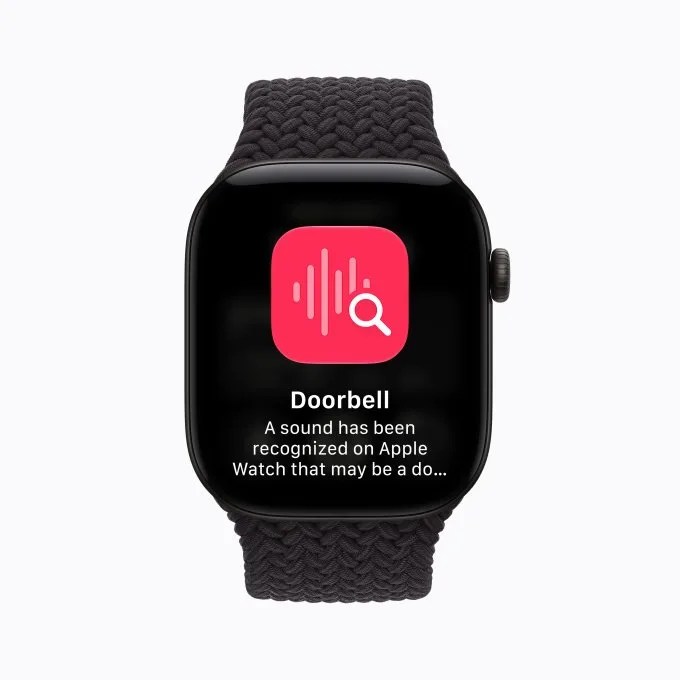
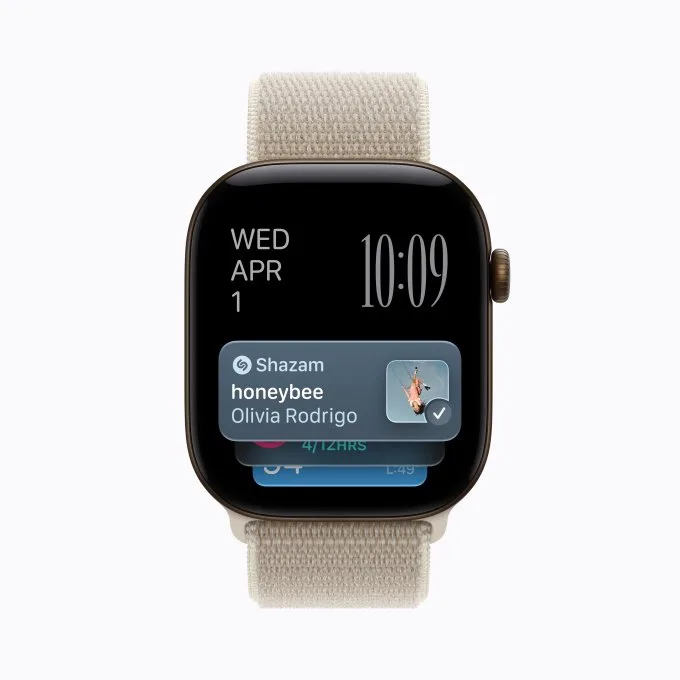
Sound recognition helps deaf and hard-of-hearing users identify sirens, alarms, and doorbells from the watch. Song recognition uses Apple's Shazam app to detect background music and surface the song name and artist. The more contentious pair are Live Rewind and Siri Recaps, which process conversations the wearer is part of. Apple has tried to position them as useful to watch owners while respecting the privacy of people nearby, a response to backlash against AI recording devices such as Meta's AI glasses and other AI wearables.
How Live Rewind Works
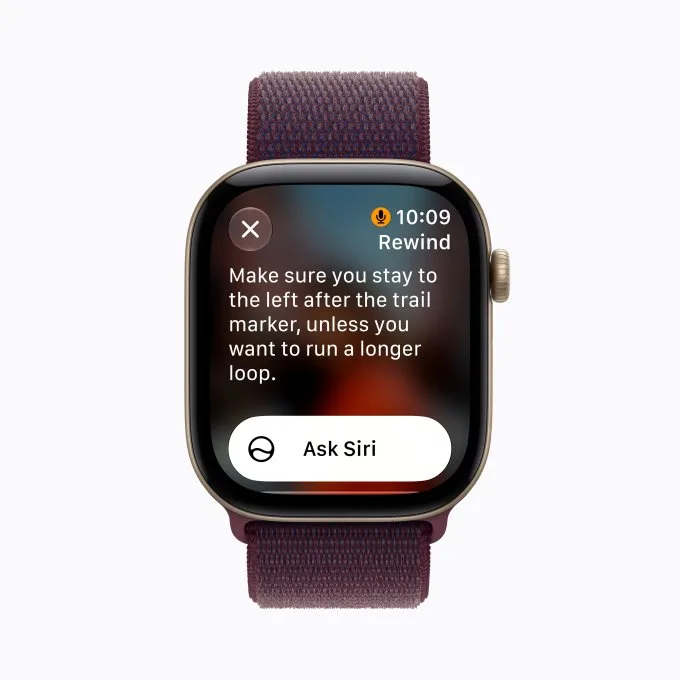
Live Rewind lets a wearer go back to see what someone just said. If a person was giving verbal directions or reading a long list of restaurant specials, a double-press on the watch's digital crown shows the last 15 seconds of speech as a text snippet on the watch face. The snippet can be dismissed, in which case it disappears permanently, or saved to the standalone Siri app that shipped with iOS 27 for later access, useful for recalling a name or capturing a quick note from a fast-paced presentation. An "Ask Siri" option below the snippet lets users ask about something that was said, such as an unfamiliar technical term or a sauce option a waiter mentioned.
A double-press triggers an audible chime and an on-watch animation, signaling through gesture, sound, and display that something was recorded. Unsaved snippets are deleted automatically after 30 seconds.
Siri Recaps: Summaries, Not Transcripts
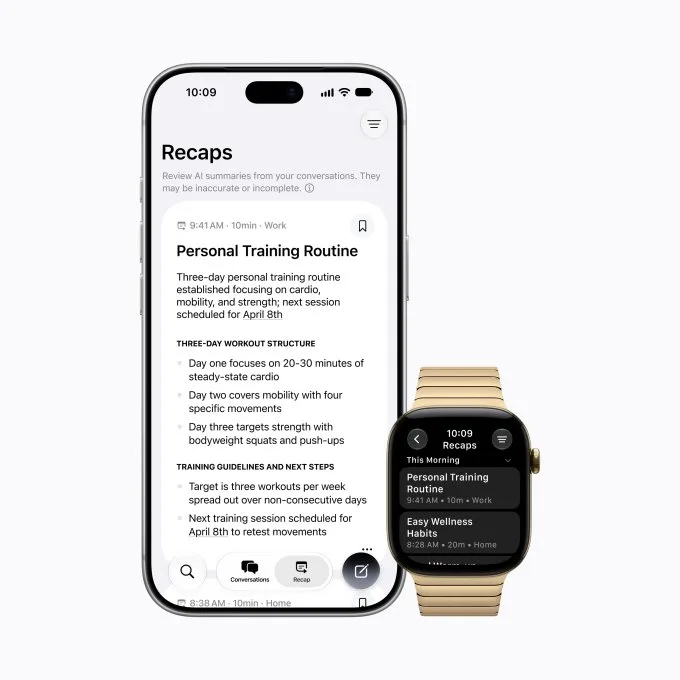
Siri Recaps pushes the ambient listening further by producing high-level notes. Apple says the feature does not identify speakers, save raw audio, or provide word-for-word transcriptions. Instead, it summarizes a conversation in a short sentence and bullet points covering key facts such as important dates or deadlines, pricing or payment plan information, and other factual details. Apple suggests uses including work meetings, parent-teacher conferences, and personal training sessions, essentially mimicking a user's own note-taking without adding emotion or tone. The feature is aimed at moments when writing notes is impractical because hands are full or attention is on the discussion.
Recaps do not record when the wearer is listening to music through headphones or using noise cancellation. When the feature is enabled, users are prompted at the end of the day to review saved recaps and choose which to keep. Notes can be saved to the Notes app or exported to the Journal app if they are more personal; otherwise they delete themselves within seven days. The review prompt also appears when the watch is first unlocked in the morning. Siri Recaps can be enabled manually or on a schedule, for example only at work or never at night, and can be switched off at any time from Control Center. Apple says the design omits sensitive information such as government-assigned identifiers, financial and authentication data, certain personal identifiers, and language that would promote self-harm.
The Privacy Architecture Behind the Features
The features rely on a combination of Apple hardware, software, and services: the S11 chip, the watch's built-in microphone, Apple Intelligence models running on the iPhone, and Apple's Private Cloud Compute. The always-on processor includes a secure enclave, a hardware-protected memory space inaccessible to the rest of the operating system, where a dedicated audio buffer processes raw audio without it being accessible to anyone, including Apple. Audio reaches the paired iPhone only through a secure pairing mechanism between phone and watch.
Lightweight AI models on the S11 chip detect whether a conversation the wearer is part of is taking place, and the audio is transferred to the secure enclave on the iPhone. On-device processing converts the audio into condensed text with filler words removed. That text is encrypted and sent to Private Cloud Compute to generate the recap, which is returned to the phone; the recap and any summarizations used to create it are deleted from Private Cloud Compute immediately afterward. Recaps on the iPhone are accessible only to the user, not Apple, and are encrypted when synced across multiple Apple devices. Live Rewind's 15-second snippets are created the same way, with the watch transferring audio to the iPhone for processing. Apple says none of the features should affect watch or phone battery life.
What to Watch Next
The features are currently limited to developers in iOS 27.3. Apple says they will later roll out to the public beta for broader testing before becoming publicly available to all. How testers respond to the audible chime and on-watch animation, and whether the scheduled-recaps controls prove sufficient for bystanders' privacy concerns, will shape the debate before general release.
Comments
No comments yet. Be the first to comment.